The Level Editor is shaping up nicely now for next game Pig Eat Ball. All written using Java and LibGDX.
This shows the basic controls and capabilities. We have some advanced placement tools in the works as well for the next update. I'm planning on possibly releasing the editor with the main game, assuming I can make it friendly enough to use.
Reflections
(Primer: Reflection is a language ability which allows for code to recognize class types *within itself*. It allows for extremely generic programming, perfect for dumping new classes into an editor and having the code sort out all the new variables and how they save and load and can be edited.)
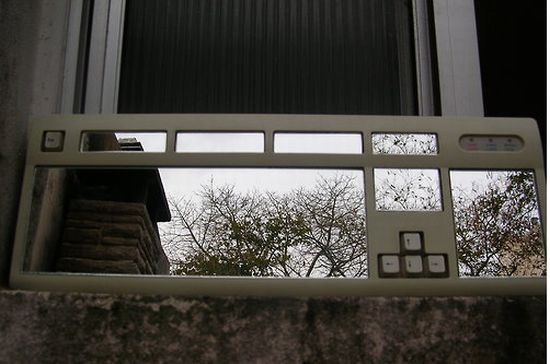
I guess it's a keyboard with mirrors in it? Looks awesome either way.
On the code side of things, not using reflection was a bit of work, but I think because I was worried about how well-supported reflection is in Java, and because I was worried about portability to Linux, Mac, and Android, I decided to "hand-code" things.
That means, when we add a new class type, like a ball spawner, if there are specific variables that you can edit when you select the ball spawner (such as spawn type, or number of balls spawned), then all of that code has to be written by hand. That includes the Info box populating with the specific entries, the saving/loading and a bit more.
On the right is the BallSpawner selected. "SpawnType" and "SpawnCount" are special variables.
It's a pain but the usefulness in the editor is amazing. It means you can place specific objects, and modify behavior on each object in a class-specific way. Plus once you get the format down in the code, it only adds a few extra minutes to adding a new class. It's just a lot more complicated than carefree reflection code I was used to in XNA and .NET.
We've not formally announced our next game Pig Eat Ball because I'm still figuring out what the heck it is exactly! I've had it in 'prototype mode' for a while now, but fortunately it's shaped up in recent months and things are starting to come together. I hope soon to have some interesting to stuff to show off, like some varied screenshots and a nice video--enough that we could call it a "real announcement".
In the meantime you should know that the game is basically about controlling strange flying-pig creatures in outer space, as they eat tennis balls and deal with each other. The core gameplay is unusual in that the pigs get bigger as they eat things. Their size is used in the collision in the levels. This alters the way the player has to think about moving around the level.
There's no gore, and some unusual gameplay features that make the basis for a new, action-puzzler. It's suitable for kids but is original, and not super-kiddy in the traditional sense. Basically I wanted something I really liked playing, but could show to other people and not have to explain why there's bloody intestines everywhere (our other games are bloody--and I love them dearly--but I figured I'd try something different).
Speaking of levels, we now have a dedicated person, Matthew Barnes, working on the new, visual level editor! He is a coop student from the nearby University of Louisville's School of Engineering. A new editor will assist in making much more interesting, more intricate levels than I've made previously.
Here's the current level "editor" for Pig Eat Ball:
Bahah--Yes! That's just some ASCII characters I arranged by hand to then interpret as a level. And here's a level generated from that ASCII code. It's already really fun but could use some sprucing up.
And now that the game seems up to snuff, we've started working on a visual editor!
Okay, that's not really impressive at all, but stay with me. There's some menus and buttons working, you can add some debug-draw objects, we're working on selection, deleting, rotation, and more! All this means our new coop programmer is moving along on the editor, and can start making some real progress.
The reason for the editor now, is to be able to add more details to the levels themselves. The yin-yang level from above is already cool, but I'd like to add more decorations to it, add layers of details perhaps in the foreground, and background, and make connections between some specialty objects that will give us more interesting gameplay. All of this is much easier to do in a visual level editor rather than ASCII.
So for now it's time to hunker down and get coding on this level editor!
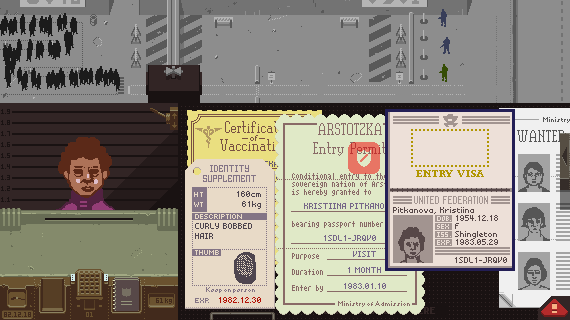
Papers, Please is a recent PC game by developer Lucas Pope, which has the player acting as a border officer deciding whom to admit to their country of Arstotzka. The game takes place mainly within a small room acting as a border checkpoint. A long line forms outside waiting to enter your checkpoint, all eager to enter your country.
The player gets five credits for every person processed, and at the end of each day, the money is used to keep their family alive. The player decides how to spend their money on rent, heat, food, and medicine for your family of four dependents. People in line may have excellent sounding reasons as to why they should get to enter even if their papers aren't in order, but you have to balance humanitarianism, penalties from the government, and keeping your family healthy.
I think this is an amazing game, one that could really help reshape peer adult views on the state of video games. Yes--this is, in part, an article about me worrying about the image of video games in popular culture. If that's gross, bail out now! But not before you check out the game, it's excellent!
Appealing Theme
There's very little in Papers, Please that would titillate a pre-teen's interests. While there is a small bit of blood and violence, it's infrequent, and none of it happens because of the player, at least in the traditional manner. There's nudity as well (stylistic, drawn in the game's pixel style, and can be turned off), but it's not at all sexy, and is incorporated as part of the player's job. Deciding to use the body scanner in the game can make you as a player feel uncomfortable. There's typical elements of a FPS such as soldiers, guns, and barricades, but all of it viewed from the bureaucratic side of things. The actions required are skill-based, and time sensitive, but akin to skills developed in the business office, rather than with a controller. The game is difficult, but the second-to-second gameplay comprises analyzing text, correlating information, and following strict rules. It's something that sounds boring to most, but could definitely appeal to 50 and 60 year olds, when cast against the 1980's faux USSR background with the underlying intention of stopping illegal immigrants and supporting your family.
I'm fascinated with how real the characters feelwhom you must process at your border station.In The Sims, the player has God-like control over each Sim, but must baby them, telling them exactly what to do: eat, watch TV, or talk to someone else. They feel like automatons, which is fine, as it serves that game. But in Papers, Please all the characters feel like complete people. I suppose it's from a mixture of the background data provided (via their papers), the tiny slice of their life you get to see, their realistic conversations with you, and your imagination. You don't get to follow them around the alley, and see their dull stare into the distance, or aimless wandering (such as in a GTA game). You see them for a moment, and they feel like real people with real problems. The God-like powers promised by a Sims game are realized here, but in a much more powerful way. When you admit or reject someone, you can imagine it having a real impact.
Situational Depth
Your job in the game can have real consequences rendered. All sorts of situations related to border control are explored here, for instance, you could personally stop a human trafficker from getting through, if you know how to do your job. Or you could accidentally let a suicide bomber through, if you miss one crucial bit of information in an effort to process people more quickly and make more money. The depth achieved here, and the situations created is vibrant and memorable. Bribery, misery, compassion, bomb scares, police brutality--all of this and more happens right next to you, and sometimes you're even the cause of it.
Here's a game I think few adults would feel embarrassed to be caught playing. Many of my friends and relatives play Candy Crush Saga or Angry Birds, but if I bring it up they dismiss as "just a dumb time waster." I think because of the concepts explored, and the agency providedto the player, many more adults could be shown the beneficial and positive artistic expression possible within a video game.
Playing Papers, Please made me recall an interview with Jenova Chen in which he laments the lack of appeal of games for adults.
"My biggest complaint for computer games so far is they are not good enough for adults. For adults to enjoy something, they need to have intellectual stimulation, something that's related to real life. Playing poker teaches you how to deceive people, and that's relevant to real life. A headshot with a sniper rifle is not relevant to real life. Games have to be relevant intellectually. You also need depth. You have the adventure -- the thrill of the adventure -- but you want the goosebumps too."
This game is a great place to start for many non-gaming adults. The setting is in the past but the concepts of border control, rivaling nations, and the human element are contemporary. The game is compelling both from what happens at your border job, and from how well you can provide for your family. This is a game that involves genuine sympathy and resolving conflicting responsibilities such as those to your direct boss (and the state), to your family, in addition to what seems morally right.
Few Traditional Game-like Elements
I think it's important for most non-gaming grown-ups, that very little of Papers, Please feels 'gamey'. There's no "morality meter"; you don't grow horns or wings based on how many people you help or hurt.You're paid by the state based on what they want to see happen. It certainly feels like a horrible totalitarian regime, but is it? When they tell you watch out for an enemy of the state and detain them, maybe he really did something bad. Or should you believe his story? Are enough other people's explanations starting to form a pattern in your mind?
Having a game that treats the player as a grown-up is as refreshing as having a dramatic game based on a world not too different from reality. While flights of fantasy involving time-travel, blood thirsty orcs, and terrifying aliens is lots of fun (Trust me--I love games with those things!) it's incredible to have a very compelling game, using fairly strict "real world" situations.
Avoiding the Tragedy
Make sure you try the game. It's 10 bucks over on Steam, but I think there's a free beta version available at the developer's site you could use as a demo. Next, get other people to try it. Non-gamers. Maybe your Dad, or Mom, or Uncle, or those guys and gals at work that talk about politics or sports. Get other people to check out a video game that's not all violence and sex, but still mature and deeply compelling, working with concepts everyone knows.
Nope, I don't get any kick-back here--I don't know the developer personally. I just want more people to play a video game and see the powerful work that can be done. Or maybe I do benefit from this--the whole industry could benefit from this. Pulling weight along with the likes of Flower, and Cart Life, maybe games such as Papers, Please can get the video game industry out of "The Tragedy of the Comics" within which we may be forever stuck.
(My current game in early development is about pigs that fly in space and eat tennis balls. It's shaping up to be really fun for gamers of all ages, but I'm 38 years old, and that explanation for my work was a little embarrassing to type.)
Mommy's Best Games is proud to announce one our games is now available on disc! In this current age of independent development, digital distribution, and streamlined costs, it's very exciting for us to have had one our games be deemed so popular that it was included in a disc release.
The Serious Sam Collection is now available for sale on Amazon through publisher Maximum Games and lists the contents as "4 Legendary Games Plus DLC". These include 3 canon Serious Sam games developed by the original developer Croteam, and our own, double-the-wacky Serious Sam Double D XXL!
From a technical standpoint this is also very exciting as I believe this is the only XNA game to have been released at retail on a disc like this. And I can personally confirm that Serious Sam Double D XXL does actually run off the disc itself. The game is not distributed through a download token found on the disc, and you're not required to install the game to the Xbox's harddrive. And the game can run without an Xbox Live connection! From the other XNA devs I've talked to, this is surprising as I think most thought XNA required a connection, or was not built to run off of a disc. I wasn't involved in the development of this collection, so it looks like Maximum Games did some nice work getting it to run off the disc.
In any case, it's a big day for us, and a nice collection too. Grab it if you're looking for hours and hours of frantic, monster-gibbing fun. When we started back in 2008, I only assumed we'd be releasing games in digital form, never on physical disc, so it's a special honor indeed!
The Ouya game console officially launches June 4th, but has already been sending out Kickstarter backer versions. The game store itself is live. I've had a dev kit console for some time and have been working on an original game for it called Pig Eat Ball. I'm interested in this console, am making a game for it, and want it to do well. It's a low cost console, but doesn't need to come off as cheap. What can make it look cheap and neglected? Quick ports.
Let's turn those shoddy port faces upside down.
Obviously since the Ouya is Android-based many developers have ported their existing games from mobile over to the Ouya. This is fine and many of these games are very polished likeKnightmare Tower, Beast Boxing Turbo, and Gun Slugs.
After playing lots of games currently on the Ouya store, I've been seeing a trend in which a few irksome issues keep cropping up. Here is a simple checklist for developers to consider before releasing games to console. This in general could apply to all mobile-to-console, but I'm specifically thinking of the Ouya (could be for GameStick, others too).
Analog controller sticks require a dead zone. Many, many, many games I've played on the Ouya store have a 'drift' in their controls. It's extremely annoying, especially considering most games on the system currently are action games requiring precision input.
It usually manifests by tapping the left analog stick to move, and after releasing the stick, the character/cursor/etc continues to move in that same direction.
This is easy to fix--in the code, when you get the X,Y back from the left analog stick, measure the distance of this vector and if it's less than a certain amount, disregard the stick press.
I'm pretty sure there's even example code on the Ouya dev site, but I'll present some here just in case.
The float returned from the stickMag function will tell you the length of the vector made by the left stick input. It should be between 0 and 1.0f. The Ouya controllers are pretty gummy, so try making the dead zone fairly large like 0.35f. That is, all input lower than 0.35 in length is ignored.
Make a selected menu option >>obviously<< different from the other options. Being presented with two options such as an in-game store "Buy" "Cancel" and seeing one yellow and one white is not helpful. Some games will say yellow is the selection and some will say white. Simple color coding is not intuitive and it's easy to fix.
Quick--save her! But do you have the right one selected?
There are many simple ways to show something is the current menu option that is selected.
Consider:
Drastically increase the size of the text.
Put a special background behind the selected text
Put a special pointer graphic off to the left
Pulse the scale of the selected text
Put some simple particle effects on the selected text
Support both analog stick and d-pad input for character movement and menus. Especially on menus but also in the game. It's just common courtesy to allow for input for both. Some people like to play with the left stick and some like the dpad. I've played games that for some reason only allow d-pad input on the menus. I've also seen games that would work fine with d-pad in the game, but only allow the left analog stick on menus (in games where the choice of stick/d-pad really didn't matter. Yes I understand it's possible it could important in a game, but it's very common that the game would be fine with either input).
Remove mentions of touch/mobile controls. Seeing things like "Tap the screen to continue" or "Press here to continue" when that function is not supported anymore in your game looks rushed and sloppy. Remove all "tap", "swipe" terminology from your game unless it's actually using the mini-touch-pad as the only input.
Please don't make us do this.
Even if it *is* supported to allow the player to tap a portion of the screen to continue on a menu, the touch pad is a chore to use. Support button input, and show button tool-tips.
Remove HUD graphics that are obviously just left over from the mobile version. Based on real examples I've played: When the O button on the Ouya makes the main character shoot, don't leave a big button on the HUD, taking up space, that lets you shoot if you manage to click on it via the touch pad. Sure it's technically possible to click on the button to shoot, but it's very ineffective and the game already has a button on the controller dedicated to that action. It's just wasting screen space, and again looks sloppy.
Don't leave the || (pause button) on the screen as *the* way to pause the game via the touch pad. It's terribly slow to try to pause like that. Use the Ouya system button or another face button.
It's okay to add this!
Please put an Exit option in the game. Yes the Ouya system button can do this, but you can just as easily present the player with a simple option to turn off the game if they'd like to do so.
Remove unused manifest settings. This may be an Ouya system issue, but I've seen some games that when installed prompt that they may need to make phone calls. I'm pretty sure the Ouya can't make phone calls, but if it can, is your game really making calls? The ones I saw with this requested never made calls. If it's not needed, just remove it--it looks sloppy.
First and foremost--please, PLEASE use a dead zone on your left analog stick input. If you've taken anything from this article, go to your code now, and implement a dead zone. Now. This is really bad, as it's making your play experience worse.
Everything else on the list is good too. Basically it means you really cared about bringing your awesome game to new people. No one likes a sloppy port. No one wants to see "Press Start" in their PC games when they don't support controller input, and no one wants "Tap Screen to Continue" in their console games.
They want to think the neat, new game they are considering purchasing was made special just for their system, just for them. You worked really hard on your game. Ports are annoying--I know from experience. Put in that extra effort, clean up your game some more, and make it a AAA port. Good luck! Gamers will thank you.
Serious Sam Double D XXL releases February 20th on Xbox LIVE Arcade! Here's my first video which details weapons from the game, showing good gameplay uses for all the crazy gun abilities.
There are 32 different gun upgrades in the game and each video will show four. This video features two upgrades for the Machine Pistol, and two upgrades for the Shotgun. Enjoy!
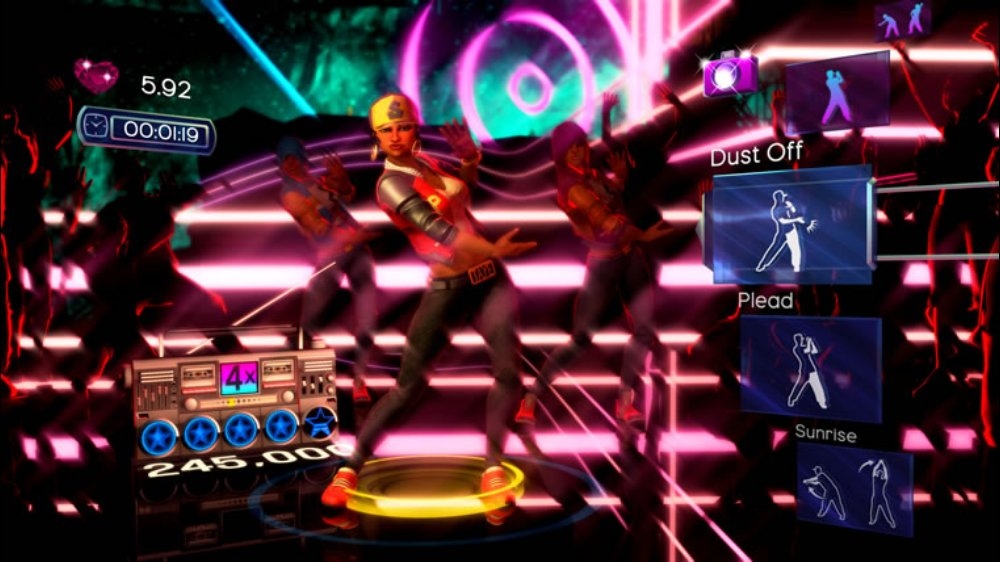
Thought experiment: What could we end up as an industry if for the next 5 years, no games with physical violence were made? What would you make, if your next game could have no physical violence in it?
Defined as: Physical violence you can hear or see. There can still be implied violence. There can still games about revenge, war, crime, you just can't have physical violence shown/heard. Yes, that cuts out the core of most shooter games, but that's sort of the point.
The Witness
Also: The game would ideally be in a new franchise. I suppose it could use an existing franchise (though things like Gears of War and Halo would be tough, but again--could be something interesting from them).
The Unfinished Swan
There are already a lot of independent developers making games with no or limited violence and they've created some very original games. I'd really like all the AAA studios to think about it as well. There are so many hugely-talented people on these massive teams with giant marketing budgets. What could they produce that would then reach the world as the next thing they have to play? Hopefully something different from Farmville? No Assassin's Creed III, Halo 4, Dishonored, or Call of Duty Black Ops 2. What would those companies make instead? What TV ads would we see?
Dance Central
Now, I realize the irony in me asking this as Mommy's Best is finishing an XBLA game in which you stack guns on top of guns on top of guns. (I like guns.) I really like fighting and shooting in games. I like it a lot. But I see games like The Unfinished Swan and I think, what would a whole industry look like if we did that for a while? What if we all pushed in that direction? Sure, we can make violent games again after that--but maybe we'd hit on something so good, we'd keep going?
Super Hexagon
I think I'd do something with expanded social interaction, story-manipulation and very responsive NPCs. I liked where LA Noire was heading in the interrogation sections... I'd probably look at interesting AI for characters interacting and responding to situational changes. A short game, but with lots of breadth to support more interaction options along the way, and additional replays.
How do the best players in the world, play your game? Or how *will* they play your game (if it's still in development)? I think coming at your design from the 'best players in the world' angle can shed light on some possible gaps.
After mulling over an inspired question by Jason Rohrer of his own Diamond Trust of London, "I'm interested to see over time what a really good player of Diamond Trust is", and reading a Super Hexagontip list by a world-class player, I wondered how the best players of my own games would play them.
We're working to finish our first XBLA game, Serious Sam Double D XXL. It's not out yet, so I don't know yet how the world's best players will climb its leaderboards. But I have a good substitute--myself. If you're a indie dev like me and you're working on a game still to be released, chances are your team includes your game's best players.
You play the game day-in and day-out working on and testing it. You may be using techniques and abilities that are perfectly in-line with your designs, or you may be side-stepping intended gameplay without knowing it. Will your players do this as well?
Here are some questions I've been using and you put to your game:
What would you tell others to allow them play as well as you do?
Practice writing a small walkthrough for your game before it’s finished. What are you telling players to help them through?
Should you have to tell them these things? What are you explaining that should be better explained within the game itself (hopefully through design, rather than explicit text).
Are you subverting the game design in the way you're playing? Is this intended?
Can you uncover exploits to hopefully redirect players into the intended portion of the game?
Best players know the levels and mechanics well. How? Is there a proper introduction of each mechanic?
How do you think the best players will discover the deepest tricks of your game? Are they fair and discoverable? Is it fun to suss them out, or will they find them only by accident?
Best Tricks For instance, In Serious Sam Double D XXL there are campaign levels (with a story) and challenge levels. The campaign levels have leaderboards for quickest level completion time. Based on how I play, I know this means they need to get the Air Buffer gun upgrade, which lets them hover some as long as they shoot. I also know its possible for players to skip a lot of enemy setups. Is this okay? Is this still fun?
Air Buffer in action, encouraged through Speed Run attempts
For me knowing how players (and myself) try to skip enemy setups, can help foster new ideas. This led to creating a shotgun upgrade with pellets that slow down time momentarily for any enemies hit. This combined with the hover ability can get you through fast.
Thinking about this from the original PC release of the game, I realized some setups players were skipping too quickly in any case. Even though the game now registers speed runs, I wanted some spots to give them something more substantial to fight sometimes which led to the introduction of armored enemies.
Exploits Another aspect of the campaign is collecting currency to spend on new gun upgrades. Similar to getting infinite 1UPs in a Mario game, I know there are a few spots in the game where a player can grind to gain currency. If you have exploits like this, make sure you know about all of them, to properly manage them.
Collecting currency actually helps the simpler setups now as well. In the earlier, easier levels, players will still engage the smaller enemies because they drop currency on death. The original designs of the game had no such system, and no incentive to engage the smallest enemies once players became accustomed to the level setups.
Walkthroughs Imagine that best player wrote a walkthrough about your game. What are they telling others in order to perform well that's missing from within the game itself?
New to SSDD XXL, There are over 30 upgrades which let you heavily modify your weapons, some of which are pretty strange. That's a lot of new gameplay to introduce; how do I know players are getting it? This is especially tricky to consider because as the creator you inherently know all the abilities of your guns (or various gameplay).
Bee shotgun in combination with the turret gun
It may sound obvious, but a good place to start explaining things is a description of your guns (or whatever advanced gameplay you have). If there's some advanced technique you regularly employ and expect the player to know, explain it somewhere. For instance, XXL has a 'Cybernetic Bee' upgrade for the shotgun which shoots bees which can lift enemies into the air, stinging them. Cool! But it can also be used against armored enemies. While normal bullets bounce off the armor, the bees can go under their armor. One way to explain this is with text. I do this now, but originally the Cybernetic Bees description only mentioned what they were, not their ability against armored enemies.
A better way is organically letting the player discover abilities. For instance, in the game, the Gunstacker system lets player stack up their guns, allowing players to have multiple guns firing at once. Here players don't have to exclusively try out the bee gun to see it working--it will likely be in a stack anyway, and the results against armored enemies speak for themselves.
Bee shotgun against the new armored soldiers
While I assumed players would be able to figure out that the bee gun can be used on armored enemies, since this is a quasi-required mechanic (not just a secret), it's best to go ahead and explain it wherever possible.
---
I'm still learning about gaps and looking for issues in Serious Sam Double D XXL, but it's getting much better. With my game still in development, imagining what tricks the world's best player would employ, I can see what areas of the design are being exploited, require shoring up, or better explanations, and hopefully you can do the same for your designs.
About a week ago, Microsoft split the XBLIG and WP7 site back into two sites. One for Xbox LIVE Indie Games and one for Windows Phone 7 development. This is nice... actually it's more funny than anything as originally the XBLIG had it's own site.. but anyway.
UPDATE (September): Looks like the forums and searching is working again. Hooray! Thanks Microsoft for getting it fixed.
ORIGINAL STORY:
After that change it turns out that doing a search for information on the forums does not work. Let that sink in. Search is broken.
Doing a search for most things on the XBLIG development forums fails. What happens is you are redirected to a pretty page that asks if you want to make an Indie Game or WP7 game. Even if you click on the Indie Game, it ignores whatever you were looking for and just takes you to the main XBLIG. Search aborted. Can't find the help you're looking for. I've found a few things that work, but the vast majority of searches fail.
We need to get that fixed, and that means writing "creators@microsoft.com". If you develop Xbox LIVE Indie Games, let's get this change happening.
Here's the body of an email I've sent. Please write your own, or use mine as a starting point or wholesale. I'd keep it short, polite, and say what's broken.
Hello team! After the transition from pulling the XBLIG site back out of the apphub/phone site it seems the forwarding links when doing a search for information don't work. I was hoping this was just a short matter of time, but it's still not working. This is critical for the site to be useful. That impedes not only seasoned developers but especially new developers which will crush growth.
Can we please get someone on this? Thank you!
In any case developers, it's up to us to help convince Microsoft this is an important issue. Please write them! I love playing and developing XBLIG as I'm sure you do as well. Keeping the forums in a healthy state is critical to the platform's ongoing growth and development.
A little while ago a new, very pretty shoot 'em up, Sine Mora, was released on XBLA. It was co-developed by Digital Reality and Grasshopper Manufacturing.
I like the game a lot! I think the graphics are gorgeous and the boss designs are inspired with lots of variety. I also like the music a lot even though it's a little understated. Several of the tunes stay in my mind after playing, such as the disco-like theme for some boss fights.The time-slowing ability is fun to use in a shoot 'em up.
I liked the game so much I want to play it more! Sadly, while I play I get frustrated by several, smaller design elements of the game that would be easy to fix. I decided to detail these in the hope that someone involved with the development of Sine Mora would read this.
I'd love for some or all of these issues to be addressed by the development teams on a subsequent update. In all cases I list possible solutions to the problems, most of which would be pretty reasonable to implement.
Major Issues
Problem: Player ships can be damaged by some objects that player bullets pass through. This is the strangest thing I've seen in a long time and it pretty much screws up any sort of reasonable 'discovery' the player can achieve. In a shmup, the player's bullets are like this hands. He uses these to feel out the world and decide what can hurt him and what can't. For instance, the underwater submarine boss turned sideways does not let you pass through it (like when trying to grab powerups) but your bullets and powerups do. In most vertical shmups there is no environmental collision. In horizontal shmups there is often environmental collision. Sine Mora follows that convention, but strangely does not let find out what can hurt your ship until you actually smash into it. Also strange is that some objects block bullets and your ship and some only block (and damage) your ship.
The environment-collision inconsistency hampers the game.
Solution: If the player ship bounces off things, their bullets and powerups should too, OR if your bullets go through things, don't let that damage the player.
Problem: Objects in the playfield are too easily confused with objects in the background or foreground. Even in levels I've played several times, and with enemies that come in from the background (which is often) I'm not quite sure exactly when a ship is able to collide with me or when I can shoot it.This leads to lots of confused shooting and scrambling to figure out where to be. It's also confusing when a tiny turret stuck onto the background is actually shooting and you, can damage you, and could be shot to recover more valuable time (which acts as health here).
Pic from a different shmup, Mushihimesama, the background is desaturated and you can see the action more clearly.
Sine Mora: Some of those turrets are enemies, and some aren't.
Solution: Make a clear distinction between objects in the background and playfield, via a fog effect, desaturation (as is already used in the time-slow ability). Could even be an option for the player to toggle in the menus.
In our own Shoot 1UP we offered several background visual options including the ability to simply turn off the background (full black) to make the game easier to play for people that struggle tracking things on screen amidst all the action.
The game won't look as pretty, but I think giving the player an option to control how distinct the background is would be a huge help and really increase how much they can enjoy the game. I agree that picture of Mushihimesama is washed out and maybe don't have that as the default in Sine Mora. But after I play with 'full graphics' some, I'd probably want to change it so I can see what's happening better.
Problem: Powerups quickly fly off the screen. From what I can tell the powerups bounce off the environment (this is fine) but they don't bounce off the "screen bounds". This is very frustrating. You end up really under powered with just one slip up and fighting underpowered is tedious. I think it's also fine if the powerups eventually leave the screen, just not immediately.
That red powerup is pretty much as good as gone.
Solution: Powerups should be bound to the screen, or travel more slowly, or there should be more created.
Problem: It's difficult to discern what parts of the 3D environment you'll crash into and what you wont. This is related, but different than the first point (not knowing what things you can crash into because you're bullets don't hit what you'd expect). This is because the game is in 3D, and has pieces of the environment extending "out towards the player" and has parallax. The ship always emits a vague light on the environment which makes it seem that the developer knew there was a problem, but they didn't go far enough with this possible solution. In most 2D sprite shmups, you can easily discern when you'll crash into the environment. In Sine Mora not only is it tough to tell going up in down in a simple cave setting, but sometimes you're forced to go through a 3D tube while your ship is obscured from view! You can easily bump parts of the tube and be damaged. It's very frustrating.
It's tough to decide just when your ship will hit the walls, especially while frantically chasing down powerups.
Solution: Make collisions with the environment not damage your ship, like in Einhander, or shear off all graphics to create a cross-section with no parallax, or cast a distinct visual line (like a circle emitting outwards from the ship in a plane parallel to the screen) that collides with environment and shows what the player will hit.
Minor Issues
Problem: Screen shake is too disruptive and happens often while a big cloud of enemy bullets are about to hit you.
Solution: Only screen shake at the end of boss fights when the player is invincible, or make the player invincible while the screen is shaking.
Problem: Some enemy bullets are extremely similar to your player ship bullets. When lined up, it's hard to tell when something is coming. This is worst on the train boss. The bullets are long red shapes extremely similar to the players.
Solution: Change enemy bullets to not look like the players through color and shape.
Problem: Effects cover up things. In the underwater sections, explosion and smoke effects cover up too much of the action.
Solution: Make sure the player and enemies, and bullets layer on to of effects.
I made this list in the hopes that Sine Mora can be updated to be even more enjoyable, but also for other shmup developers to consider these and other design decisions in your game. I love the game, keep up the great work developers and please consider these issues--thanks!
Recent primary distributions of my work time, past few weeks:
Most of my time is for something very special and (sorta) secret for Serious Sam Double D
Game art 50%
Promo art 20%
Administration 10%
We also have two other programmers working on that, but this chart is just for my time. A quick readjust for the whole company is more like 50% code, 30% art, 20% everything else (I'd redo the graphic for it, but it was a pain! Probably next time.)
I'm also still doing a little clean up with Shoot 1UP Windows Phone 7
Final bug fixes 5%
Promo design 5%
Pie itself was mostly blackberry, with some blueberry. Filling was good, but the crust was a little heavy. Guess I'll try using less flour next time.
I will be giving a postmortem about Serious Sam Double D next week at GDC, Friday at 3:50 pm in room 135, North Hall. I'll be talking about how best to work within someone else's IP, what it was like working on a Serious Sam game and what went wrong and right for Double D as a project. I'll also probably talk about what's next for Double D and MBG!
My gun-stacked postmortem is hammocked between postmortems for two HUGE games: the first is Sword & Sworcery, and the second postmortem is for a mystery game that is a really big deal!
Help the BABIES get back to their MOM! Ride the Porkerpillar and gobble up the tasty treats, but watch out for trouble!
Click for original-size
The Porkerpillar is sort of like a caterpillar crossed a pig. A very happy pig.
As the stork flies by, a baby falls from a rip in the cloth sack, waking the Porkerpillar. It's time to wave and undulate his body to move the precious baby around, helping them eat yummies but also dodge danger while making your way to his mom.
Donuts are good for you, right?
This project was specifically made for the Experimental Gameplay Project which tasked designers to make a game that only uses 5 buttons. Traditional console games use directional pads (which alone use 4 or more buttons) or analog sticks, plus other face buttons and triggers.
This contest was special in that the finalists would be shown in a public party setting, with 5 large, pressure-sensitive buttons used to control the chosen games.
And the great news is, Porkerpillar is one of thefinalists! The contest+party is being held this Friday, wish us luck!
And if you'd like to try the game out, here's the link. Be warned though, some PC keyboards will not properly allow all keys 1 through 5 to be held down at once, which compromises the experience considerably. (My desktop keyboard doesn't work with 5 keys at once, but my laptop pleasantly does, so it may in fact work for you.) Here's a handy test for your keyboard.
There is only one level currently. We may pursue developing the game further for touch-devices. It was a fun, and different project to make, enjoy! And it was our first non-violent game--crazy!
Game Type has been updated with a slew of small and large improvements! Most of these improvements are in the shoot'em up portion of the game.
The biggest changes come to the gameplay in the form of the weapons and point system. Before, Cash Drops only gave the player extra points. Now they still give you score bonuses, but additionally they fill a meter shown in the HUD. This meter powers your Kick Beam and the new Time Pulse.
In addition to the normal and beam weapons, you can use a new action called "Time Pulse". This slows down time dramatically for just a moment, giving you a chance to dodge out of the way.
Using Time Pulse takes 51% of your cash meter (which is marked by a yellow star letting you know Time Pulse is ready). You'll have to grab more cash drops to use it again. But that should be easy since now shooting enemy bullets with your Kick Beam, while in the slowed-down mode, turns into Cash Drops! That's right, shooting enemy bullets turns them to cash!
Use the Kick Beam during the time slow-down and change enemy shots to Cash Drops!
The new player basic shot can attack top, bottom, and forward!
In addition to the gameplay and art changes the online High Scores Tables are fixed and will now share properly for all scores!
Take 2 players into the madness!
Here's the full change list:
High scores properly share now for scores past loop 3.
Weapons system changes: Normal shot now has up/down shots plus forward firing, and is stronger. Kick Beam is now powered by Cash drops. Also, new attack added via the Right Trigger called "Time Pulse" which slows time and lets the Kick Beam turn normal enemy bullets into cash. Add action buttons are remappable.
New 'How to Play' screens (2), these are now shown via menu option during gameplay as well.
New Score Multiplier system which works by increasing for every cash drop you grab, but drops if you don't get them fast enough.
Warning arrows are shown for enemy groups beginning to approach off screen.
Players can "log in and log out" on the shmup sub-menu screen. Find the Game Type menu with box art showing (the menu in which you're about to play the shoot'em up). Players can press A to join or press Y to log out. If two players are playing, and one needs to quit use this to get the second player to log out.
Graphical touch-ups: green theme used on beam attacks and bullets. Background art touched up with more detail and highlights.
Gameplay tips are now shown during loop starts.
The wave spawning for enemies have been rebalanced for more consistent, interesting attacks.
The 'hint arrow' in the fake dashboard now starts on by default (to make it easier to find the shmup game).
There is a quick-start option now, just press Y to launch shmup game, if you've already found it and played it once.
Pressing B repeatedly on the fake dashboard will eventually take you back to the exit menu.
Mmm.. delicious enemy attacks
Here's a Xbox 360 marketplace link to the update: Link. Game Type is 80 MS Points which allows for the ability to share your high scores online. The game was originally released December 21st. This is the first update for the game.
We're nearly finished porting Shoot 1UP to Windows Phone 7! It probably won't be out on the marketplace till early next year, but it's exciting to have it almost complete.
Mecha Lilith needs your help!
Microsoft is publishing the title, and has been a great help navigating all their tricky rules for being an official LIVE enabled game. But Mommy's Best Games is responsible for figuring out localization. We're looking at various translation houses (and even Google Translate) but I wanted to check in with shoot'em up fans first.
Bullets speak louder than words, but there's menus and tutorials to be translated too!
Are you interested in helping translate Shoot 1UP? We need a few translators for each of the following languages: French, Italian, German, and Spanish. There are about 1,100 words to be translated. I say "a few" people to translate, as I think it would be beneficial to have one translate the original text, and at least one proofread.
Here's a random sample of strings needed to be localized:
Title
Text to translate
Notes
AwardsCompleted
Achievements Completed!
Back
Back
go back one menu
BestScore
Best
Best score
BuyGame
Buy Full Game
purchase the complete game
CalibrateDescription1
Please hold your device in a resting
CalibrateDescription2
orientation that is most comfortable
CalibrateDescription3
for you, then press Ready...
I'll provide notes as well so for instance, the "Back" word could mean a human's back, or go back to the previous menu. Obviously here it means "back to the previous menu" which is included in each entries notes.
UPDATE: Thanks to everyone who's offered to help! It looks like we have enough people to translate the game to the above 4 languages. If you're interested in translating the game to any other languages (like Brazilian Portuguese for instance) please contact me and we'll see if it would work.
If you are interested in contributing, please email me at nathan (at) mommysbestgames (dot) com and specify what language you can help with. Native speakers would probably work best. If it works out we'll definitely get you in the credits for the game, and hopefully be able to compensate you as well. Thanks a bunch!
(This is for game developers offering ringtones through their games--for end users adding their own ringtones to their Windows Phone 7, check here.)
Shoot 1UP for Windows Phone 7 will be coming out early next year. We're excited to offer 3 custom ringtones created from game music, that you'll be able to add to your phone from within the game. Turns out though, none of the online tutorials explained everything necessary for our XNA game to install ringtones.
When we heard about the Mango update, we were excited to support new features like ringtones and 'live tiles'. Searching for help on creating ringtones in the game we found the official MSDN walkthrough.
You can have MP3s or WMAs of the ringtones and you can add the sound from the XAP itself or pull it from isolated storage. Since our game was not generating the ringtone itself (as they were previously recorded), our ringtones are added to the solution and will be pulled from the XAP as shown in the MSDN example. This shows a .wma being used, but we used .mp3s which work as well.
try { saveRingtoneChooser.Source = new Uri("appdata:/myTone.wma"); //saveRingtoneChooser.Source = new Uri("isostore:/myTone.wma");
saveRingtoneChooser.DisplayName = "My custom ringtone";
The Problem? When we ran the game and checked for the ringtone file--the file never existed on the phone after we deployed.
The Answer? We had have "Copy to Output Directory:" set to Copy if newer. This isn't obvious since the default which works with all other content is "Do not copy".
From what we've seen, Live Tiles images work like this too. If you want to use them, you must set them to "Copy if newer" to get them to show up on the phone, as they seems they circumvent the traditional content pipeline. And I believe this issue is only for XNA games (not Silverlight) but if I'm wrong, please inform me in the comments.
Good luck to all devs adding additional, cool content made possible by the Mango update! I think the 'new' WP7 is really sharp and it can help all new games really shine.
Unlocking golden guns in the challenge rooms saves progress and sticks you with whatever load out was in the challenge room. -Fixed
Language setting in-game (you have to set the option, then restart the game to have this take effect).
Reticule options Can use dual or single reticules now
Made reticule image easier to see.
Camera look-forward toggle option (when off the camera won't move if you turn left/right)
Challenge levels can be cheated by setting difficulty - fixed
Play the game, get guns, then do Start New Game, then go back and reload old quicksaves. It screws up your weapons. -Fixed, now wipes everything on StartNewGame
Jump option 2 does not let you drop down.-fixed
Tweaked enemy attack-damage values on normal/serious (slightly tougher)
Mouse wheel flip button option added (can reverse direction quick select scrolls through guns).
28th connector missing. Fixed, added to "room of blood" secret area.
Extra translations for Spanish, Italian, German added.
His loadout was trashed too...
If you were effected by the 'golden guns' loadout problem... (Background: What could happen in the previous version, if you beat the game (and unlocked 1 golden gun) then unlocked another golden gun when saving a challenge, the game would save only those weapons used in that challenge (eg. only having 4 flamethrowers). ) The bug is fixed, but you may have been effected by the problem. That would mean your inventory is stuck with just a few weapons. If you want to get your inventory sort-of back, there a few options 1. You can do a Start New Game and re-find all weapons, secrets, etc (maybe on a higher difficulty). 2. I've uploaded a 'save state' in which I played through on Normal, getting only the weapons in my path and a few secrets (not many at all). If you'd like to donwload that, it's right here: http://www.fchiase.com/files...amePersist.zip Go to here on your harddrive C:\Users\<USERNAME>\AppData\Local. Delete the contents of the SSDD folder. Take the contents of the NEW folder you downloaded, and paste it into the SSDD folder on your harddrive.
That will give a lot of weapons to start with and you can play something like Serious mode or try out the Challenges.
Unfortunately there was no way to recover the lost inventory for those that had this problem, I'm sorry. But this is a bit of workaround.
First off, let's see some of the insane action in motion for Serious Sam Double D!
That was the first official gameplay trailer for the game. There will be some more trailers highlighting various aspects such as the GunStacker system.
Replayability
With a few weeks before release, Serious Sam Double D has undergone a drastic but excellent change that heavily increases the replayability of the game.
Previously the game followed a simple structure: You battled your way from the start to the end, finding powerups and cool secrets. But if you happen to miss anything, the only real way to get it was to start from the beginning again and hope to remember where it was.
Level Select screen letting you replay any level again, with all your gear.
Not anymore! Now Sam has a Persistent Inventory system which means any gun, connector, secret, or challenge you happen to find, he gets to keep in any level. Plus, you can replay any previous level you've been! Yes, you can take all the guns you've been collecting all along the way and head back to easier, previous levels any time you want and search for more hidden guns, secrets, or challenges tucked about.
So while initially you may have only had access to 3 guns in the first level, you can battle half way through the game, then replay the first level, now with something more like 12 guns and tons of connectors! Then you can find more weapons, then head *back* to level 7 or 8 (or wherever you were) with yet-more guns to better even the odds.
Starting level 1 from scratch with the Machine Pistol.
Returning to level 1 with a 5 gun stack, ready to fine more loot!
Plus we have good news that the Secrets menu is working great. You can look any time you want at secrets you've unlocked and revisit the funnier ones, or just use it to know how many are still to be found. And because the inventory is persistent, you can simply play from whatever secret you visit and any more powerups you find will be added to your inventory for access in later levels or your current one.
The black arrow is pointing to the little treasure box icon that shows up when you're near a secret.
And one extra helper is the Treasure icon. It definitely doesn't make it too easy, but it does fade in slowly if you're getting warm when finding a secret.