We we're fortunate enough to be one of twenty indie devs asked by Mojang to show off our game at Minecon this year in Orlando. While the show is primarily about Minecraft, having an "other" indie games section was great, as it featured upcoming games such as Hyper Light Drifter, Scale, Shovel Knight, all part of the "Minecon Indies".
Our new game, Pig Eat Ball, currently in development was a perfect fit as we had hundreds of young boys and girls come up to play. It felt good to offer something a little different, without killing and blood and gore (though we've enjoyed making those games in the past :)
'Bow' in our ode to Ms. Pac-man, which we used on our shirts
Eventful
Running for just Saturday and Sunday, we were in the Exhibition hall most of the time, though I also was on a panel called "Life as an Indie Developer" which had a good turn-out. There were five developers on the panel, including myself, Pete Angstadt (making Cannon Brawl), Evan Greenwood (making Broforce), Richard Perrin (making Journal), and Mo (making A.N.N.E.), and it was moderated by AJ Johnson (from gaming site 8 Bit Horse). The panel focused on how there's more to just "designing your game all day" when you have to sustain yourself financially, handling such things as marketing, emails, scheduling, taxes, and more. I think all the devs afterward handled plenty of "My child wants to be a game designer, what do you think?" from parents approaching us.
Evan, of Broforce, and I showing our guns before everyone came in.
The show, while small at 7,500 people was handled really well, at least from what I experienced. As an exhibitor, our normal costs for a convention includes booth space, equipment rental, and hotel and travel fare. Most of that was graciously covered by Mojang which was pretty great. Additionally, after the first day ended, everyone that attended the show (gamers and exhibitors) were allowed to go Universal Islands of Adventure (which was closed that night to anyone except Minecon people).
The Harry Potter area was excellent, though I hear it's packed on a regular day.
I'm not the biggest Minecraft fan, so it's hard for me to say if it was worth it from a consumer perspective, though everyone attending seemed pretty happy. The show had a very interesting farm exhibit which you could walk around and pet the strange cubic animal sculptures (which were made from expected materials--the square horse had fur, the square ducks had feathers, there square tree had.. cubes of leaves...)
Boxy, furry horses. Of course.
There were also plenty of ancillary Minecraft booths such as special Lego toys, expansion/mod centered booths, papercraft, a diarama booth (featuring physical recreations of Minecraft screens) and lots of talks and panels from Minecraft personalities. I was surprised by the fanaticism surrounding some of the Youtube personalities and Notch himself. I saw and heard kids running and screaming through the halls several of the few times I was out of the hall.
One of the screenshot-diorama's being setup.
After the second day there was also a swanky party held in downtown Orlando for VIPs only. All the indie dev exhibitors were invited and most went (I went back to my friend's house who lives in town there, and we played Dragon's Crown instead--hey, I don't get to see him often!) It was really nice there was a special party just for exhibitors. There were even shuttles from the convention center to the party. The only odd part was the shuttles only ran early to take you, and late to bring you back (meaning you had to stay several hours if you stuck with the shuttles). Still pretty cool to end with a big party!
The game cards we gave to everyone, and one of the "Barfies" we only gave to those that played the demo.
Our Bring List
Laptop
Build of the game (copies on usb stick, on laptop, uploaded to dropbox)
Wired Xbox 360 controllers
HDMI cable
Java installer (on usb stick also)
Headphones (bought for show)
Speakers (from office)
Hand sanitizer
Stand-up banner for game (features elements to view from a far, and some to read up close)
Specialty cards for the game (for gamers to learn more, as a reminder)
Prizes after you play (custom "Barfie" ball, with Pig Eat Ball logo)
4 "Flying Pig" Hats (gave one away to a young super fan who visited both days)
Free game codes (to give away the game occasionally)
Personal business cards (with my contact/company info on it, different from the game cards)
We pointed people to the banner occasionally for more screens and info.
The Setup
Mojang provided the Alienware computers which ran our games. Each dev's area was one of four tables forming a big diamond shape. To your left and right was another game developer at a right angle. Fortunately, the noise level was very manageable. We brought headphones just in case, but speakers running the sound was enough (our game is puzzlish action game, not specifically about sound, as opposed to SoundSelf, which was there, and did use headphones).
Anyone that played the game got a branded "Barfie" ball which drew in a lot of people.
We were able to put our banner in between our table and the one to the right. To our left, was the stand-up banner for Sportsfriends. With everyone facing outwards, I felt like we had enough room, but I wasn't on the inside of the booth area, which was more crowded. There were five of these groups of four games each.
Having been to bigger shows like PAX, it was different because your "booth" was just a computer at a table. It was a little tough if you wanted to run a merchandise table with shirts, or wanted a bigger screen display. Still, with all games equal, and with decent sized monitors, I think it was easy for the games to shine and bring people in.
The only real "trick" here, was that those developers that showed up first, got to pick where they wanted to set up. I ended up showing up very late on the setup day, and thus missed the chance to pick the "primo" end spot, that was facing the high traffic, main aisle. Doing it over, I would have gotten there sooner if I'd have known we could pick our spot (as opposed to it being randomly assigned).
One person handling the demo, while another talks to the crowd helped a lot.
Paring Down the Pitch
We had plans to run an hourly contest, give away game codes, and shirts. But our game is new and strange, and within the first few hours we realized people were spending plenty of time just playing the opening levels. With so many people coming through our booth, we ended up paring down the experience to
We hand you a card, and let you play the first three levels that explain the unusual gameplay.
When you leave (assuming you play), you get a "barfie" ball from the game.
We had at least two people managing the booth most of the time, which helped as one person talked to the current player, and the other person talked to the parents or new players coming up to watch.
Explaining that the game comes with a level editor letting you make your own mazes was a hit (which makes sense given the Minecraft theme).
You might have one idea going into a convention, but staying nimble and open to change goes a long way.
Great Stuff
Mojang covered most of the typical expenses for the show. Booth costs, equipment rental were all handled. Because John of Media Indie Exchange was also helping, our computers were also already set up. Actual booth set up was a breeze.
The show seemed well handled. There were plenty of volunteers, and things happened on time. Things were clean, and well built. I was a little worried how it was all going down (given it's a young, small show) but it was well done.
Because there was a small number of people, we had plenty of traffic, but it was manageable. It wasn't too many people all just moving around, not stopping to see your cool game. There seemed like there was also lots of giveaways gamers could get at the various Minecraft booths which keeps everyone excited and happy.
Not So Great Stuff
There was basically no press there. A few you-tubers with Minecraft focussed sites showed up, but that's all I saw. It would have been nice to let game press play our game. Maybe Mojang didn't want it to be swamped with press and not letting kids play? Either way, I wish they had given out a few free passes to press (maybe just a dozen?) to help multiply the impact of demoing the game early.
Mojang asked that we not announce our involvement with the show until the day before the show itself. Sure it didn't actually matter about talking to press because if they didn't have a ticket they weren't going. But it would have still been nice to talk about it leading up to show more, and discuss it regarding developing the demo for the show.
Clientele-Server
Part of what made the show so great was how enthused and interested everyone was. Maybe it's just that "Minecraft fans are so great", or maybe our games were all amazing (of course! :), but either way the people were very interested, well-informed about gaming, and very polite. Plenty of young kids knew all about Steam, understood pre-orders, instant access, and were even curious what language we were using or wanted to talk about programming and design.
Crafty
All told, it was excellent show. The fans there made for an easy show, and Mojang made it easy on the wallet too. I wish some big gaming press were there, but otherwise, it was well worth doing. The show apparently changes year-to-year but if it's anything like this one and you get the chance to show your game, I'd go for it.
The Level Editor is shaping up nicely now for next game Pig Eat Ball. All written using Java and LibGDX.
This shows the basic controls and capabilities. We have some advanced placement tools in the works as well for the next update. I'm planning on possibly releasing the editor with the main game, assuming I can make it friendly enough to use.
Reflections
(Primer: Reflection is a language ability which allows for code to recognize class types *within itself*. It allows for extremely generic programming, perfect for dumping new classes into an editor and having the code sort out all the new variables and how they save and load and can be edited.)
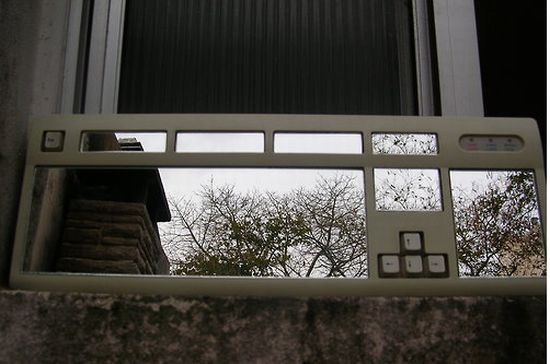
I guess it's a keyboard with mirrors in it? Looks awesome either way.
On the code side of things, not using reflection was a bit of work, but I think because I was worried about how well-supported reflection is in Java, and because I was worried about portability to Linux, Mac, and Android, I decided to "hand-code" things.
That means, when we add a new class type, like a ball spawner, if there are specific variables that you can edit when you select the ball spawner (such as spawn type, or number of balls spawned), then all of that code has to be written by hand. That includes the Info box populating with the specific entries, the saving/loading and a bit more.
On the right is the BallSpawner selected. "SpawnType" and "SpawnCount" are special variables.
It's a pain but the usefulness in the editor is amazing. It means you can place specific objects, and modify behavior on each object in a class-specific way. Plus once you get the format down in the code, it only adds a few extra minutes to adding a new class. It's just a lot more complicated than carefree reflection code I was used to in XNA and .NET.
We've not formally announced our next game Pig Eat Ball because I'm still figuring out what the heck it is exactly! I've had it in 'prototype mode' for a while now, but fortunately it's shaped up in recent months and things are starting to come together. I hope soon to have some interesting to stuff to show off, like some varied screenshots and a nice video--enough that we could call it a "real announcement".
In the meantime you should know that the game is basically about controlling strange flying-pig creatures in outer space, as they eat tennis balls and deal with each other. The core gameplay is unusual in that the pigs get bigger as they eat things. Their size is used in the collision in the levels. This alters the way the player has to think about moving around the level.
There's no gore, and some unusual gameplay features that make the basis for a new, action-puzzler. It's suitable for kids but is original, and not super-kiddy in the traditional sense. Basically I wanted something I really liked playing, but could show to other people and not have to explain why there's bloody intestines everywhere (our other games are bloody--and I love them dearly--but I figured I'd try something different).
Speaking of levels, we now have a dedicated person, Matthew Barnes, working on the new, visual level editor! He is a coop student from the nearby University of Louisville's School of Engineering. A new editor will assist in making much more interesting, more intricate levels than I've made previously.
Here's the current level "editor" for Pig Eat Ball:
Bahah--Yes! That's just some ASCII characters I arranged by hand to then interpret as a level. And here's a level generated from that ASCII code. It's already really fun but could use some sprucing up.
And now that the game seems up to snuff, we've started working on a visual editor!
Okay, that's not really impressive at all, but stay with me. There's some menus and buttons working, you can add some debug-draw objects, we're working on selection, deleting, rotation, and more! All this means our new coop programmer is moving along on the editor, and can start making some real progress.
The reason for the editor now, is to be able to add more details to the levels themselves. The yin-yang level from above is already cool, but I'd like to add more decorations to it, add layers of details perhaps in the foreground, and background, and make connections between some specialty objects that will give us more interesting gameplay. All of this is much easier to do in a visual level editor rather than ASCII.
So for now it's time to hunker down and get coding on this level editor!
The Ouya game console officially launches June 4th, but has already been sending out Kickstarter backer versions. The game store itself is live. I've had a dev kit console for some time and have been working on an original game for it called Pig Eat Ball. I'm interested in this console, am making a game for it, and want it to do well. It's a low cost console, but doesn't need to come off as cheap. What can make it look cheap and neglected? Quick ports.
Let's turn those shoddy port faces upside down.
Obviously since the Ouya is Android-based many developers have ported their existing games from mobile over to the Ouya. This is fine and many of these games are very polished likeKnightmare Tower, Beast Boxing Turbo, and Gun Slugs.
After playing lots of games currently on the Ouya store, I've been seeing a trend in which a few irksome issues keep cropping up. Here is a simple checklist for developers to consider before releasing games to console. This in general could apply to all mobile-to-console, but I'm specifically thinking of the Ouya (could be for GameStick, others too).
Analog controller sticks require a dead zone. Many, many, many games I've played on the Ouya store have a 'drift' in their controls. It's extremely annoying, especially considering most games on the system currently are action games requiring precision input.
It usually manifests by tapping the left analog stick to move, and after releasing the stick, the character/cursor/etc continues to move in that same direction.
This is easy to fix--in the code, when you get the X,Y back from the left analog stick, measure the distance of this vector and if it's less than a certain amount, disregard the stick press.
I'm pretty sure there's even example code on the Ouya dev site, but I'll present some here just in case.
The float returned from the stickMag function will tell you the length of the vector made by the left stick input. It should be between 0 and 1.0f. The Ouya controllers are pretty gummy, so try making the dead zone fairly large like 0.35f. That is, all input lower than 0.35 in length is ignored.
Make a selected menu option >>obviously<< different from the other options. Being presented with two options such as an in-game store "Buy" "Cancel" and seeing one yellow and one white is not helpful. Some games will say yellow is the selection and some will say white. Simple color coding is not intuitive and it's easy to fix.
Quick--save her! But do you have the right one selected?
There are many simple ways to show something is the current menu option that is selected.
Consider:
Drastically increase the size of the text.
Put a special background behind the selected text
Put a special pointer graphic off to the left
Pulse the scale of the selected text
Put some simple particle effects on the selected text
Support both analog stick and d-pad input for character movement and menus. Especially on menus but also in the game. It's just common courtesy to allow for input for both. Some people like to play with the left stick and some like the dpad. I've played games that for some reason only allow d-pad input on the menus. I've also seen games that would work fine with d-pad in the game, but only allow the left analog stick on menus (in games where the choice of stick/d-pad really didn't matter. Yes I understand it's possible it could important in a game, but it's very common that the game would be fine with either input).
Remove mentions of touch/mobile controls. Seeing things like "Tap the screen to continue" or "Press here to continue" when that function is not supported anymore in your game looks rushed and sloppy. Remove all "tap", "swipe" terminology from your game unless it's actually using the mini-touch-pad as the only input.
Please don't make us do this.
Even if it *is* supported to allow the player to tap a portion of the screen to continue on a menu, the touch pad is a chore to use. Support button input, and show button tool-tips.
Remove HUD graphics that are obviously just left over from the mobile version. Based on real examples I've played: When the O button on the Ouya makes the main character shoot, don't leave a big button on the HUD, taking up space, that lets you shoot if you manage to click on it via the touch pad. Sure it's technically possible to click on the button to shoot, but it's very ineffective and the game already has a button on the controller dedicated to that action. It's just wasting screen space, and again looks sloppy.
Don't leave the || (pause button) on the screen as *the* way to pause the game via the touch pad. It's terribly slow to try to pause like that. Use the Ouya system button or another face button.
It's okay to add this!
Please put an Exit option in the game. Yes the Ouya system button can do this, but you can just as easily present the player with a simple option to turn off the game if they'd like to do so.
Remove unused manifest settings. This may be an Ouya system issue, but I've seen some games that when installed prompt that they may need to make phone calls. I'm pretty sure the Ouya can't make phone calls, but if it can, is your game really making calls? The ones I saw with this requested never made calls. If it's not needed, just remove it--it looks sloppy.
First and foremost--please, PLEASE use a dead zone on your left analog stick input. If you've taken anything from this article, go to your code now, and implement a dead zone. Now. This is really bad, as it's making your play experience worse.
Everything else on the list is good too. Basically it means you really cared about bringing your awesome game to new people. No one likes a sloppy port. No one wants to see "Press Start" in their PC games when they don't support controller input, and no one wants "Tap Screen to Continue" in their console games.
They want to think the neat, new game they are considering purchasing was made special just for their system, just for them. You worked really hard on your game. Ports are annoying--I know from experience. Put in that extra effort, clean up your game some more, and make it a AAA port. Good luck! Gamers will thank you.
To help invigorate game development for the new console, a game jam was held for the Android-based 'Ouya' console. It was a bit of an unusual game jam in that it had no specific theme and had some troubles early on (there was a false start and the rules changed a bit along the way). Buuuut once it got going, it turned out pretty fun. And the event, hosted by KillScreen and named the 'CREATE' jam ended up being very successful with over 160 games made!
The gist was simple, make a game for the Ouya, from scratch, in 10 days. Also, there's +$50k at stake! Playing around with new hardware and trying to make something quick is always fun, but the prize money offered even more incentive to get involved.
New Direction
I created a 4-player party game which has you controlling flying-pig-like creatures trying to eat the most bouncing balls first. The pigs bounce off each other, and if their mouths touch a tennis ball, they eat it. Each ball they eat makes the pig grow bigger. Controls are simple: left stick drives the pig around and any button 'boosts'. The boost propels them forward quickly for a second then they return to normal speed. Pigs have a sensitive tail on their backside. If a pig boosts into another pig's tail, the injured pig will barf out 3 balls.
Do you try to make progress or try to stunt your friend's progress? Ah...just like real life.
The goal of each level can change, but the basic version is to eat X number of balls first. As you play, it becomes a matter of watching the size of other pigs to see if they're beating you, scrambling to eat balls yourself, and if someone is getting too big, you boost and fight each other to make them spit up balls.
What Went Right
1. Don't Follow Your Typical Design: I love violence and gore and guns in my games. Love it! But for this jam I picked no gore, no extreme violence. At most, the pigs spit up balls they've eaten. Pigs can also bump each other. Picking a design and motif that is unusual for you is a good direction for a short prototype. You may have trouble with it at first, but because everything is so different from what you usually do there should be plenty of new ideas to explore in your own style. Plus at the end, you could end up with something really different than what you'd normally attempt. I'm already really proud of this game--I can show my friends and family and not apologize for the flying guts and bone shards in most of my games! :)
2. Clear, Contained Design: The design for Pig Eat Ball was reasonable in scope. 4 players, bounce around, fight over balls, and bump each other. That's it for a first pass. Everything else is gravy. There's no crafting system, no complex animations, no intense AI. The difficult part, of course, with something simple is to make it interesting and original enough. I relied on my powers of 'crazy' for that--everyone knows pigs and tennis balls go together like honey and jackhammers :)
The other part of a simple prototype is to create an excellent 'fun loop'. Ensure that whatever you have for show when the jam is finished is honestly fun. Not 'fun if you know what we have planned', but fun with what you're playing, right then.
Day 1 Diary: Getting Started
3. Video Diary Motivation: Each morning I recorded what I did the previous day and carefully listed progress. This was an unusual jam since it was pretty long--10 days. That required special diligence to stay motivated. Seeing progress through the video and forcing myself to articulate the important changes each day helped me stay motivated for the next day despite some set backs.
Early quad-sprite tests for rotation, tinting, scaling.
4. Learning Through Examples: The system is Android-based using Open GL ES. Within about 20 hours, myself and another programmer were able to get a respectable, quad-based sprite game skeleton in place on the hardware. That felt really good! But clearly this was only possible with articles and examples from others on the internet. Bootstrapping from examples may be obvious, but was such a big part of the technology side I had to list it.
What Went Wrong
1. Must Playtest with Newbs: The final version submitted to the game jam was pretty fun. BUT, I blew something completely. I was playing the game every day, refining the controls. That's to be expected. I was having a few others play the game each day as well. By the last day, we were all very good at the game.
The game was submitted with horrible collision bugs, but the problems were only noticeable if you were not good at the game! As the screen filled with tennis balls (from players not being good at catching the balls) the framerate would dip, and the collision bugs would begin to show. Players would get stuck in the walls. They'd get stuck in each other. Balls would travel through walls.
Even in a quick game jam, make time to have new people play it and watch what they do! Yes, this is basic playtesting, but it's something that I think is easy to disregard or forget altogether when you feel you're missing proper menus, control screens, or advanced gameplay. It's easy to get flustered! But letting someone new playtest before you submit is huge and worth the extra time!
An early screenshot before the pigs had distinguishing icons.
2. Dodge Those Rabbit Holes: Several times I found myself spending time drawing art for a special 'how to' screen, or animations better suited for post-prototype development. For a short game jam, you've got to stay focused, and stick only to things that will absolutely be used right then. It's obviously fun to think about the bigger game, but get the 'fun loop' together first!
Day 3 Diary: Collision is Working
3. Watch Your Example Code: Part of the success was quickly learning how to do things in Android from examples. But that can be a double-edged sword as you may be wading into complex code with little understanding. I had trouble getting sounds to play on the Ouya. Was it hardware, code, or the wrong file format? Turned out I was calling 'Release' on SoundPool then trying to use it. SoundPool does not crash or report calls made to it after a Release(), which I found unusual but maybe it's a 'feature'. I fixed this only after slow debugging, forum searching, and reading documentation (precious time lost!).
Our submission made it just in time!
4. Save Time for the Upload: If this is a strictly managed event and you have to upload your game, approximate the upload time and budget for it! We almost didn't make it, only had minutes to spare because the game ended up a bigger upload than from days before. It's also possible for events like this to have their servers crash from so many uploads! I've done several XNA Dream Build Play contents in the past where this has happened. Get a screen shot of your finished upload! Also, watch out what timezone the game-time is marked to finish (UTC? GMT? EST?).
Finished Pig Eat Ball game trailer
Fun Loop
My one-sentence, wordy lesson for a game jam or short contest? Ensure you have a demonstrable version of the fun part of your design, made possible because you stayed focused following your articulated, inspired concept.
Diary 6: After Jam, Bugs Fixed
Future
Pig Eat Ball is on schedule for release with the Ouya in April. I love that we're on our way to our first non-violent party game! My inspiration, motivation, and free time come in waves and here they all happened to line up just right. I hope the same can happen for you!